
How To Unregister DLLs
DLL files are known as ‘Dynamic Link Libraries’ and are types of information that Windows can call on at any time. They are basically where programs store functions, which are then accessed by various pieces of software. There are a lot of DLL files, but you may want to unregister them at some point.
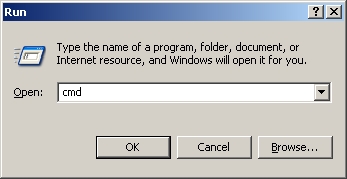
To remove them, you first need to click on Start, then select / search for “Run”. Then in the dialog that opens, type the word “cmd” in lower-case, like so:
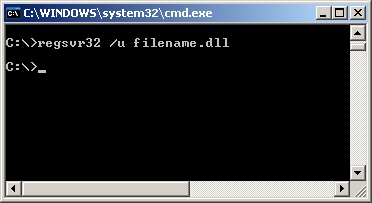
After that, you then need to type “regsvr32 /u filename.dll“ into the black box that should come up. This will tell a built-in Windows function to unregister the DLL file that you type in, and will allow your PC to not load up Eco Antivirus again. You should replace filename.dll with your chosen DLL files.
 Is your computer running out of disk space? Scan it for duplicate files right now and free up gigabytes in three simple clicks.